I spent two hours today explaining the difference between USBC plugs meaning USB 3 — USB 3.1, USB 3.2, and thunderbolt 4,and the differences between all of that, and how they would affect the performance when my buddy was shopping for an external drive bay enclosure. (You bought a server with TB4 ports, get that TB4 enclosure! Those drives are set up in parallel, so let’s eat that speed!)
I literally had to explain the differences to him for two hours. Not because he was stupid, but because it’s absurdly complicated.
Tell me about it. I’ve been trying, unsuccessfully for over a month to find a proper USB-C adapter that will give me both USB-A 2.0 and a 4K 120Hz output from my phone via HDMI. (It has to be USB 2 because 3.0 and up ports steal bandwidth from the HDMI port on the adapter). You’d think it would be a simple task, but even the adapters that claim to support 4K @ 144Hz still drop the connection down to 30Hz every time I increase the resolution beyond 1440p. Hell, at this, point, I’d just be happy with 60hz.
All I need is a simple adapter that will allow me to use my phone as a PC at a decent refresh rate, until I finally find the time and patience to sit down and figure out why the hell my PC won’t POST after I replaced the CMOS battery. Yet this has proven to be an impossible task.
OK, so my first reaction to reading your post was “what the fuck”, and my second reaction was “there’s gotta be a better way to try to do this”.
What are you trying to do? Because whatever it is, you’re trying to do, I think the best way to solve your problem. Is to rethink your approach. There’s gotta be a better way to go at this.
I’m a tech guy (I’m sure that applies to pretty much anyone on Lemmy) so maybe an outside view will help you solve this problem
Again, what are you trying to do? What problem are you trying to solve? Because, from what you’re telling me, you haven’t been able to solve the problem, so maybe trying to come at it from a different angle will present you with different solutions.
I get that you’re trying to output 4K video from your phone, but what are you trying to output that video too? And is outputting video from your phone the best option? Can you output video from another device to the end device?
What is your total solution here? What is your end solution? What is this all look like in your final video set up? Is there a better solution than using your phone?
All I want is a simple USB-C adapter with these ports:
- A USB 2.0 port (or two) so that I can connect my wired mouse and keyboard
- A HDMI 2.1 port that supports 4K 120Hz
- A USB-C pass-through port charge the phone.
Modern Android smartphones will go into a PC-like desktop mode when they detect that an external monitor is connected (complete with a taskbar, and apps running in a window, just like a PC). Therefore I want to do that with my phone so that I can have something that resembles a desktop PC until I find the time to fix my rig.
The problem is that I can find no such adaptor. They all revert to 30Hz at resolutions above 2560x1440. I’ve been told that a workaround is to get a simple USB-C to DP adapter, then a HDMI to DP adapter, then just use a BT mouse and KB. I don’t want to invest in a new mouse and keyboard just for that, plus converting the signal to DP means I’ll lose ARC and then my home theater speakers won’t work, forcing me to use Bluetooth for audio as well. I don’t want to go investing in bunch of Bluetooth crap just for a temporary fix. All I need is a simple adapter that just works with my existing equipment.
I think you might have to step up to like a caldigit hub
The screwdriver used to be a lot more important. I remember having to get an adapter when the TVs started only having coax and not the two screws.
When USB-C was still new, there was the possibility of an out of spec cable to kill your device. That’s, I think, slightly more inconvenient than said device not charging fast enough or not offloading cat pictures at the bitrate you expect.
Wait until they encounter the final boss
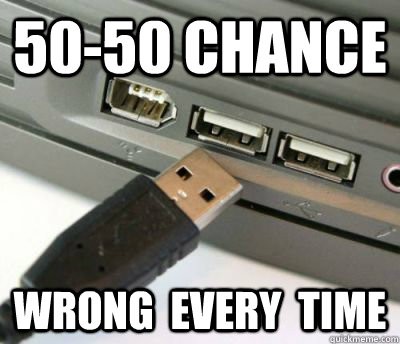
There are 3 ways to plug in a USB-A. Wrong, wrong and right.
I’m always impressed that they got this wrong even with USB-C. Here’s hoping that they finally make USB-D round so “orientation” does not matter.
what if usb-d is round but the orientation DOES matter?
Ask the musician in your life how they feel about XLR cables.

Fun fact: USB A can fit in HDMI ports.
When I was a computer repair tech, I had a customer come because their USB keyboard wasn’t working.
They had the USB-A plug jammed diagonally into the RJ45 port.
Mind you, this was back when USB was still new and pretty obscure, but still. The rectangle goes in… the square hole?
USB-C also fits surprisingly well in a USB-A socket. Great feature in the dark.
Your dick can fit in HDMI. Your paycheck can fit in.
Doesn’t mean you have to try
Problem is, I have non-tech-savvy family who do try. And succeed.
Agreed, I still remember that guy that folded a 5.25 floppy disk to insert in 3.5 drive slot
Wow, It’s almost like we had a reason for different kinds of wires…
Honestly, I’d much rather have just 1 cable for everything
Remembering which port can output/recieve what speed/wattage isn’t that big of a deal compared to digging through a bunch of cables every time you need to charge something.
I hated it back when every device needed their own specific charger.
The problem is the wires can have the same head and not support everything the port can so not all wires work so you still end up digging through wires only now you also have to test each one, you theoretically could get only Super wires that support 40Gbps, Dp, 250W etc but those are expensive so you won’t and even if you do no body else will do you’ll always end up with a bunch of charge only (throw those away immediately) or low power or need the one that carries video but also need one that does 250w or whatever, the whole standard is a mess and it’s all because they tried to o shove everything into one cable, something we always knew was s bad idea because video and sound and data and networking all take different signals and different voltages.
I just bought a couple of cables that support basically everything, and that’s it.
They connect to everything, they charge everything, they are interchangeable, and they don’t bottleneck.
Granted, I do not care about video and sound. To me, those are only needed for plug-once-and-forget devices, so DP/XLR/etc make sense. Data and charging, however? Yeah, USB-C is so much better than what he had to deal with, despite the standard being kind of a mess.
What happens if I plug my laptop charger into another laptop with USB c port but it doesn’t indicate to be a power charger port and turns out to be a data port e.g. TB port?
Worst case: nothing
Assuming both are following the usb c specs that is, which they most likely are
Today’s kids can’t afford a PC so it doesn’t matter either way.
But things were simpler then, you may think it was bad having so many different ports but you’d be surprised.
My experience is the opposite, no one ±5 years of me (born '90) ever had their own computer until they were in their late teens, and only a few had that then, most only got their own when they started working. Now my younger half-brother (born '12) and most of his friends have their own computer and consoles. And we’re very much not higher-middle class, many (including my family) are working class and barely scrape by. It’s just a more important thing for kids now so they save money for years and ask for all their presents to be money for it.
All devices now have chips that do a handshake with the charger, exchanging information about supported standards and charging using the best common option. So I charge my prohe with a 90W laptop charger, even when it is unable to use the whole wattage
The point is that it is unclear which USB C can do what.
Sure but to be fair the vast majority of devices charges fine with the baseline 5V/1A, even if a bit slower.
Exception is larger devices like laptops but I can’t say it’s a huge problem as their larger chargers are distinct enough
Chargers are also required by law to label their wattage and amps on the device.
Your cable might not do the highest wattage but your laptop will tell you if the cable isn’t enough when you plug it in… And why don’t you have the cable that came with it then? Its just a non problem.
It also doesn’t actually matter at all. You just plug it in and it works. How well it works really doesn’t matter in 99% of cases.
And as time goes on the absolute minimum you will come across only goes up and never doesn’t work.
So unless your casing the absolute newest feature set where you absolute need say thunderbolt 4 not 3 or 2. Then it doesn’t matter.
For wattage you can just read the brick. Its required by law to have that information right on it. For the cable if it doesn’t work go but a new cable and retire your old one. Iv had two replace my main USB c to c cable once ever because it wouldn’t handle the wattage i needed it to.
Its just a seriously non fucking problem for 99.99% of people.
The minimum feature and watt spec of every cheap piece of shit is well past the point normal people care.
While that is mostly true, I do have several USBC devices that refuse to charge with a name brand 65 watt charger I have, but they just love the cheap dollar store 5 watt versions.
I have a few devices that have usb-c but only charge off an A-to-C cable. Presumably no charging circuit to negotiate with usb-C chargers.
All it would have taken are 2 resistors…
I still haven’t ran into an issue with USBC except in very limited cases with old/cheap af devices/cables.